





AI MIDI Generator for Producers

Beat Shaper generates MIDI drum grooves, basslines, and synth loops that you can edit, arrange, and export.
Generate MIDI with AI
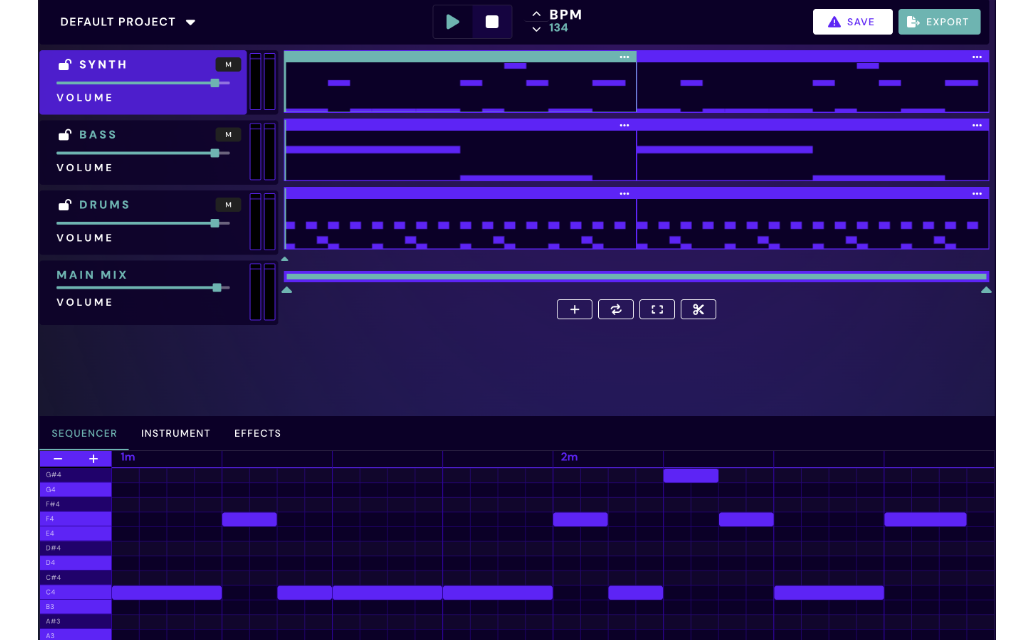
Beat Shaper UI
Icon

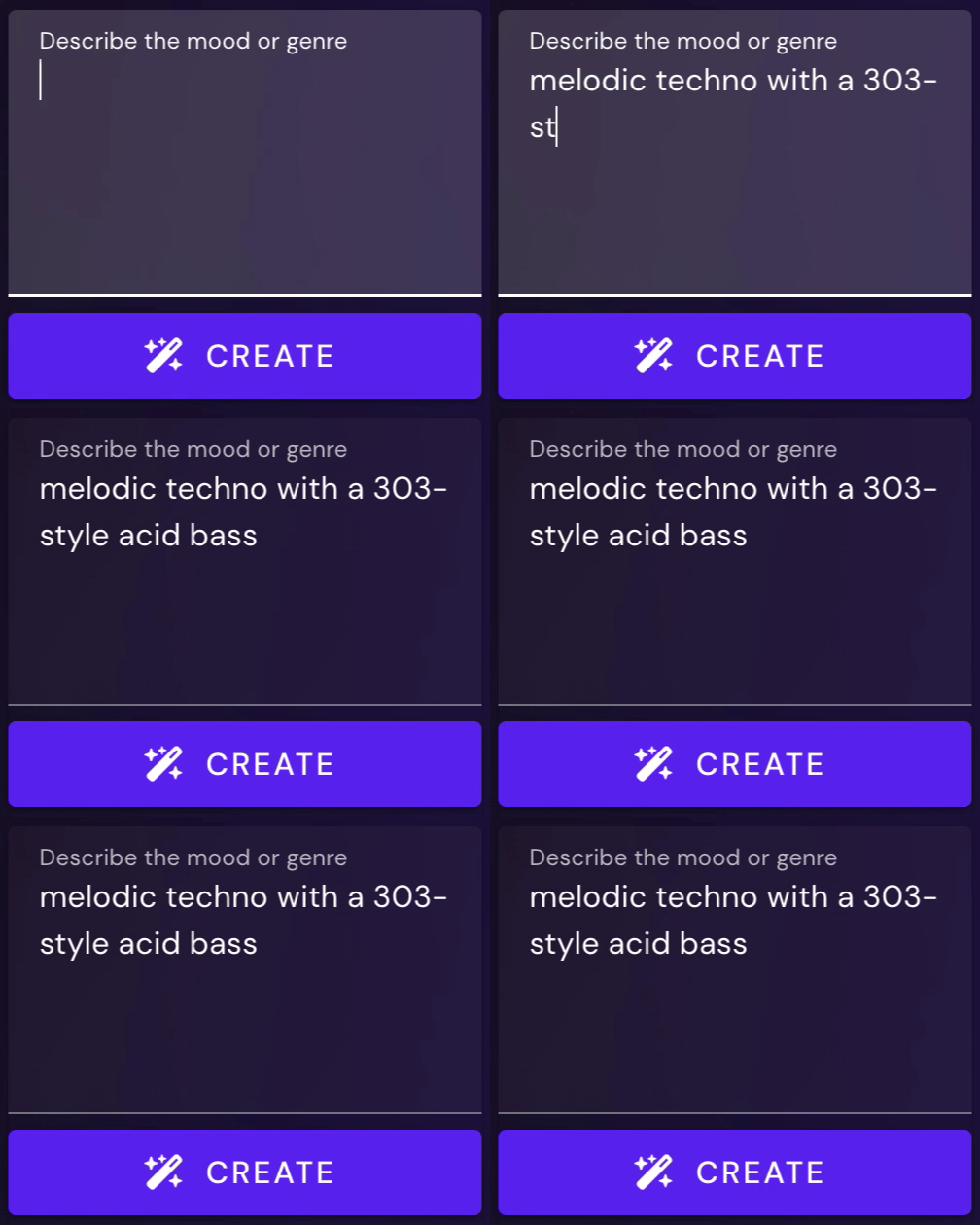
Generate with Prompts

Turn descriptive text prompts into fresh MIDI sequences you can use in your next track.
Icon

Edit Online

Refine MIDI sequences and arrangements directly with Beat Shaper’s  online platform.
Icon

Export to Your DAW

Export your MIDI and audio into Ableton Live or your favorite DAW.
Core Feature

Editable MIDI, Not Locked Audio

Beat Shaper gives you editable MIDI instead of fixed audio, so every generated idea can be rewritten, rearranged, and transformed into your own unique style.
Checkmark
Use prompts to generate editable MIDI
Checkmark
Refine online with Beat Shaper tools or export to a DAW
Text to Music
Beat Shaper PromptBeat Shaper MIDIBG Shape
Beat Shaper TracksBG Shape
Cohesive Sequences

Drums, Bass & Synth

With Beat Shaper you can create a complete musical sequence with three editable MIDI parts or choose which instruments you want to generate new loops for.

15

Drum Kits

50

Bass Presets

40

Synth Presets
Realtime MIDI

MIDI Control with Beat Shaper

Beat Shaper does more than generate MIDI files. With our online platform, you can send generated patterns to your own MIDI enabled hardware synths, drum machines and virtual instruments.
Checkmark
Send generated MIDI to connected instruments
Checkmark
Audition AI-generated patterns with your own sounds
Start Creating
Beat Shaper MIDI ControlBG Shape
Workflow Integration

Create Online & Edit in Your DAW

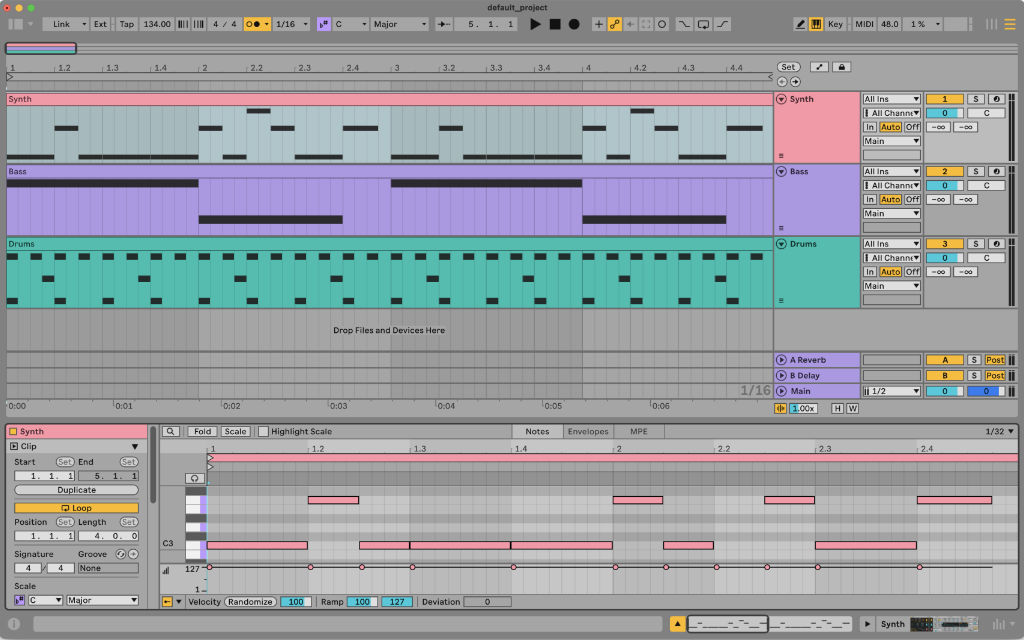
Beat Shaper provides a complete Ableton Live Project export
Beat Shaper

Generate MIDI in Beat Shaper

In Beat Shaper, AI MIDI generation starts with musical direction. You can write text prompts to describe the kind of idea you want, use genre and style controls to guide the result, or combine both approaches. Controls like complexity, energy, and mood help shape the feel of the generated clips, while prompts let you describe more specific musical ideas, references, or intentions.

Once Beat Shaper generates a section, the clips remain fully editable. You can change notes, adjust rhythms, refine patterns, or reshape the arrangement directly in the browser.

From there, regenerate parts you want to rethink, extend sections that are working, or continue building the track piece by piece. Generated clips can also be arranged in Beat Shaper’s timeline view, giving you a clear way to organize ideas into sections, sketches, and fuller arrangements before moving into your DAW.
Ableton Live

Export to Ableton Live

When you export from Beat Shaper to Ableton Live, your generated project becomes a ready-to-open Ableton Live set. MIDI clips are carried into the session along with the arrangement, so you can continue producing with the same musical structure you built in Beat Shaper.

Drum parts are exported with the Beat Shaper drum kit, keeping the generated grooves connected to the sounds they were created with.

Synth and bass parts are loaded into Ableton Drift using compatible patches from Beat Shaper’s synth engine, making it easy to keep shaping the sound inside Live. Instead of bouncing everything down to fixed audio, the export gives you editable MIDI clips, instruments, and arrangement data that fit naturally into an Ableton workflow. You can keep editing notes, changing sounds, adding effects, recording automation, or developing the project into a finished track.
FAQ

Questions & Answers

Frequently asked questions about using Beat Shaper
Who owns the rights to Beat Shaper's generative output? Can it be used commercially?

You own the musical ideas you create with Beat Shaper. Commercial use depends on your plan: Starter is for personal & non-commercial use. Creator and Producer plans include commercial use. See the pricing page for the current plan details.

Where does the training data come from? Is it licensed?

Beat Shaper is trained on a custom licensed dataset. We built the system around legally usable training material and a responsible AI workflow for music production.

What genres are supported?

Beat Shaper focuses on electronic music styles, including Techno, House, Acid, Drum & Bass, Hip-Hop, Trance, and related genres. The exact available styles may depend on the current app version.

What file formats and DAWs does Beat Shaper integrate with?

Beat Shaper exports editable MIDI, rendered audio, MP3, and Ableton Live project files depending on your plan. MIDI and audio exports work with major DAWs such as Ableton Live, Logic Pro, FL Studio, Cubase, and others. Ableton-specific features include Drift-compatible patches, Ableton Live project export, and Max for Live integration where included in the selected plan.

Can I edit and export MIDI and audio stems?

Yes, generated drums, basslines, synth parts, and arrangements remain editable in Beat Shaper. You can refine notes, drum hits, clips, and sound settings before exporting.

What plan should I choose?

Starter is for trying Beat Shaper and personal use. Creator is for producers who want more regular use and commercial rights. Producer is for heavier production workflows and advanced features such as deeper Ableton & Max for Live integration. See the pricing page for the current limits and included features.

What level of musical expertise do I need?

Beat Shaper is designed for both beginners and experienced producers. Beginners can start from prompts and suggestions, while experienced producers can edit MIDI, sound settings, arrangements, and exports in more detail.

Start using AI in your music

Enhance creativity and break through creative blocks

Create Music with Beat Shaper